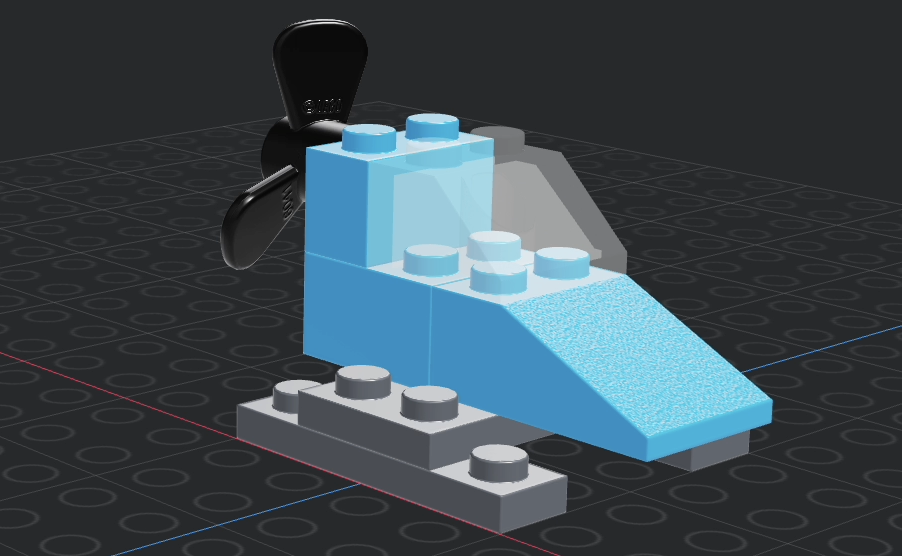
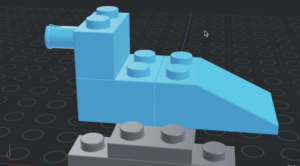
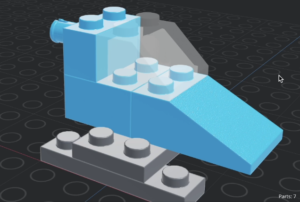
3D Lego Modelling Activity Pack What will you learn? Re-create a lego vehicle by moving, rotating and duplicating bricks. Change the colour and transparency of bricks for effect. What will you need? Access to the free Mecabricks website. If you are on an iPad you will need a bluetooth keyboard and mouse. To save your work you will need an account, your teacher may have created one for you.
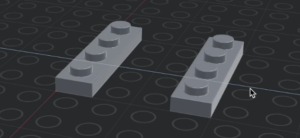
1. Getting started! Watch the video tutorial to learn how to start your project in the Mecabricks website. Add and move a plate (Part 3710) then change its colour and duplicate it.
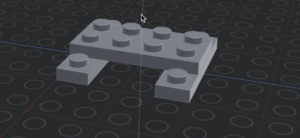
2. Rotation Watch the video tutorial to learn how to add another plate (Part 3020) and rotate it to create the skis.
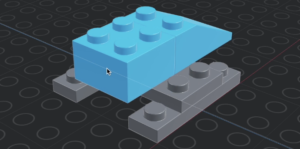
3. Sloping bricks Watch the video tutorial to add a sloping brick (Part 3298) to be used as the bonnet fo the vehicle and add brick for the back (Part 3003).
4. Special bricks Watch the video to learn how to add a special brick (Part 2458) to use as the shaft for the propellor.
5. Windscreen Watch the video to learn how to add a sloping brick (Part 3039) as the windscreen and then make it transparent (see through).
6. Propeller Use the skills you have learned so far to add a propeller (found in the transportation – boats category – part 6041), change it to a solid colour and put it on the back so that is over the shaft of the special brick.
If you have a Mecabricks account, you can click File and then Save As, then save your design as your name.
Once you have finished then you should have the skills to create your own lego models using Mecabricks.