Scratch Running Race Activity Pack What will you need?
The Scratch website. It is free to use and works on all devices.
What will you learn?
Learn how to use keyboard inputs, repetition and loops to program a simple multi-player running race game with two sprites.
1.Inputs
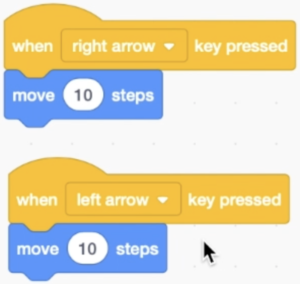
Watch the video to learn how to add a stage background and then program your sprite to move across the screen with keyboard inputs.
Touch screen inputs
If you are using a touch screen device such as an iPad, watch the second video to learn how to program touch screen inputs.
2. Winning
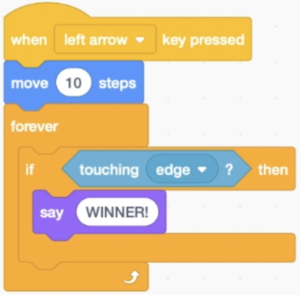
Program a condition that when your sprite touches the edge on the far side of the screen, the sprite says it is the winner.
3. Animation and Duplication
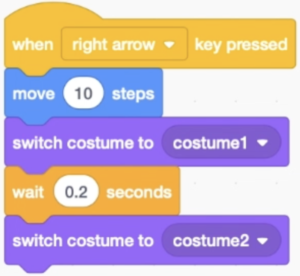
Program your sprite to change costume so it looks like it is animated. Then duplicate your sprite and change it’s appearance and keyboard inputs to have two players.
Challenge: Jumping
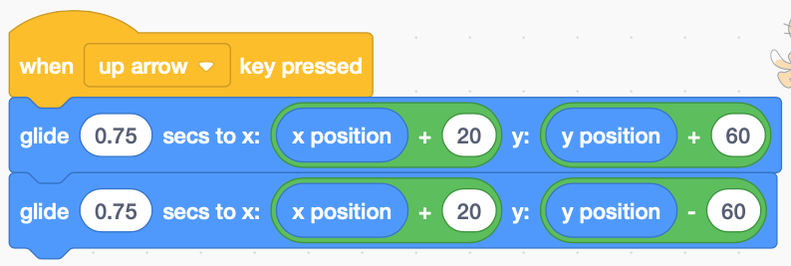
If you want your character to jump over objects such as hurdles then use the jump commands using up arrow with glide and operators.