An Introduction to Text-based Programming Pupil Activity Pack
What is text based programming? In the different activities below you are going to be introduced to text-based programming and how it is different to using code blocks (such as Scratch), which you may have used before. These activities will prepare you for the accuracy required for HTML and Python programming. Watch the video for an introduction to text-based programming.
1. Write number variables Watch the video to learn how to use the CodeMonkey websiteto write text-based commands to complete a series of levels by changing the variable (something that changes, such as a number) to program the car to get to the monkey.
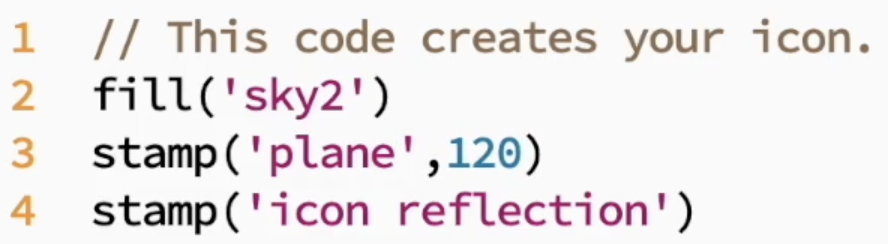
2. Write text-based commands with accuracy Watch the video to learn how to use the BitsBox website to program simple apps using text-based programming. It is really important you type the text correct to make your apps work!
Some of the apps allow you to change parts of the commands to make the apps work differently, so follow the instructions carefully. The programming language used in this activity is called Javascript, which used to make interactive elements, such as online calendars, quizzes, games or video players.
Use the BitsBox website to create your own app. This video demonstrates how to use stamps and fill effects to program an app icon.
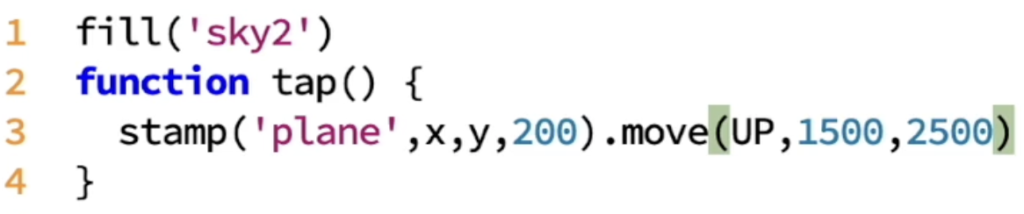
This video demonstrates how to use fill effects and stamps, combined with functions (how a program is interacted with, such as tapping the screen) to program a simple touch screen app.
3. Write text commands/functions to program keyboard inputs in a game. (Not compatible with iPad/tablet unless using physical keyboard) Watch the video to learn how to use text commands/functions to program keyboard inputs to control a sprite in a game. The video covers the first 3 exercises of the Code Monkey Game Builder.
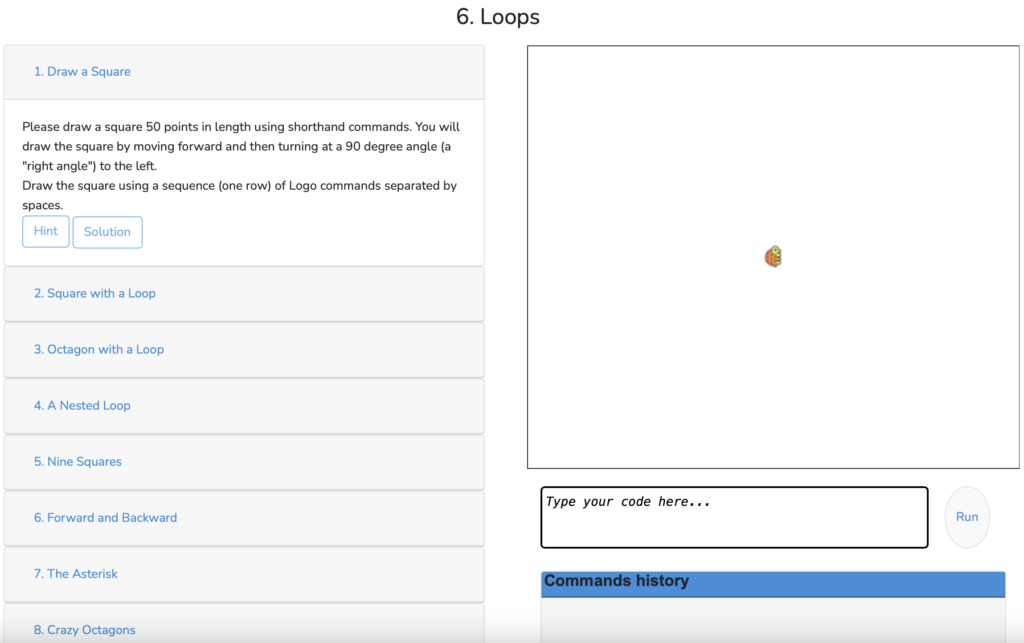
4. Program a turtle in Logo. Use the lessons in Turtle Academy to program a turtle to move around the screen, draw shapes and more. Work through the lessons, read the instructions down the left and type the code below the turtle stage. There are also hints to help you. Your teacher may give you a login so that it saves your progress.
Challenge Watch the video to learn how to use co-ordinates and RGB colours (different amounts of red, green and blue) with text-based programming to program digital art. Then try the skills on this website.