What will you learn? 
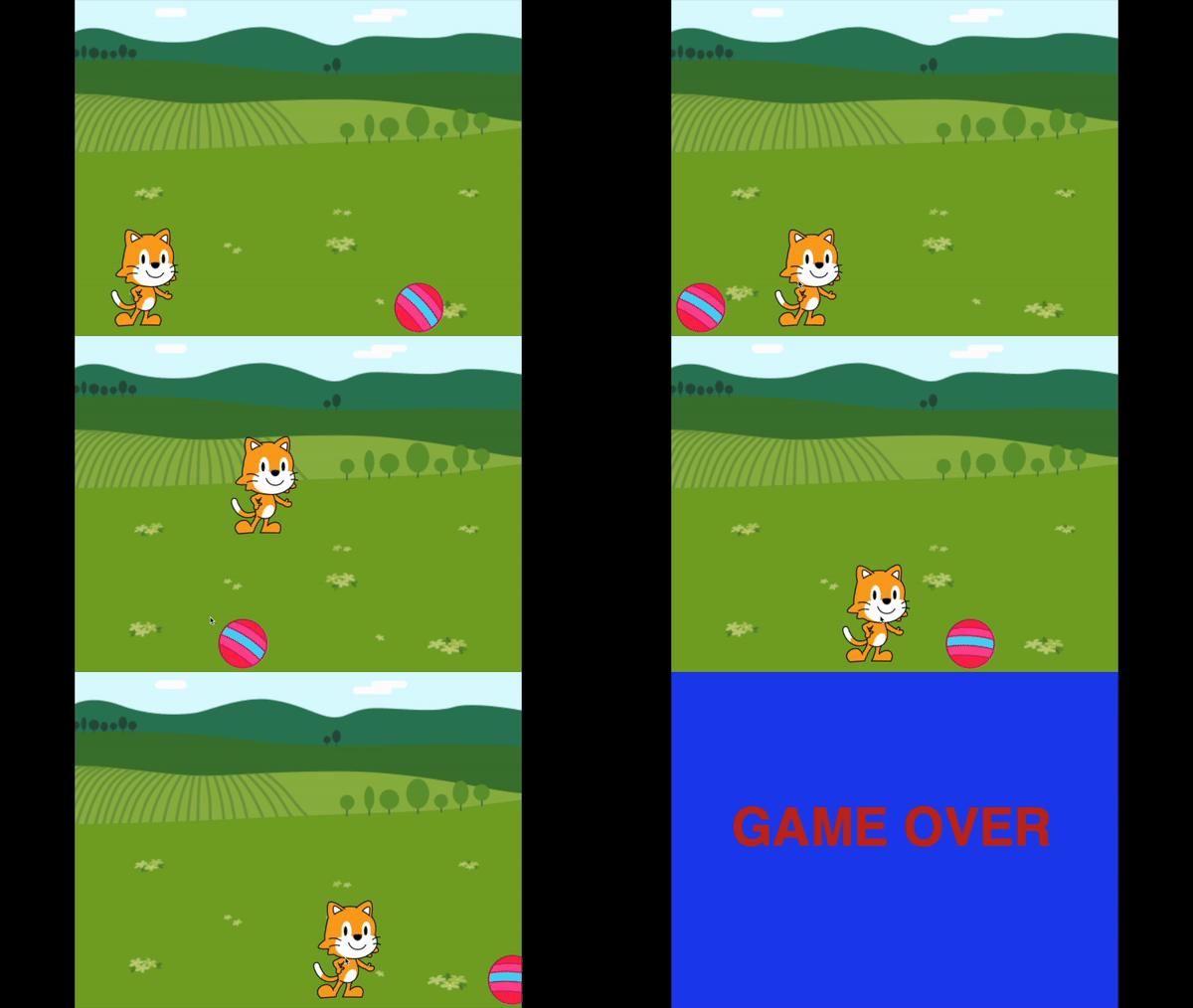
Use code blocks to program a sprite to jump over a moving object and if it touches the object it ends the game. 

What resources will you need?
The free Scratch Jr which is available for iPad, Chrome via Chromebook and Android.
Scratch Jr also works on Windows and Mac as a 3rd party piece of software.

Scratch Jr Jumping
In this activity we will use Scratch Jr to program a sprite (such as the cat) to jump over a moving object (such as ball) and if it touches the object it ends the game. 
1. Sprites

Watch the video to learn how to add the player sprite and object sprite. 

2. Moving object (ball)
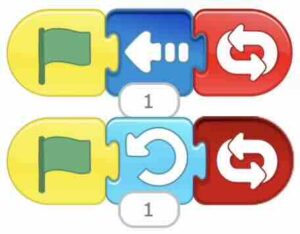
Watch the video to learn how to program your object sprite (e.g a ball) to move and roll using the code below. You can experiment with the numbers to change the speed. 
3. Jumping!
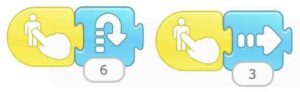
Watch the video to learn how to program your player sprite to jump forward, using the code below. Experiment with the numbers to change how high and how far forward the sprite jumps. 
4. Game Over!
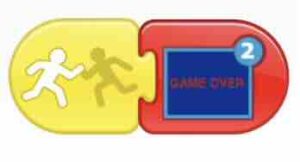
Watch the video to learn how to make a ‘Game Over’ scene and write code so that when the jumping player sprite hits the moving sprite the game is over. 
Improve
How could you improve your game? 
Could you make the game harder by adding another moving sprite to jump over – make sure the two moving sprites (balls) do not touch each other.
Could you add a target for the jumping sprite to get to win the game, using the same skills as making the game over?