
Scratch Maps Activity Pack

🛠 What will you need?

The Scratch website.
A map image saved to your computer.
Facts about points of interest of the map.

What will you learn?
Program an interactive map in Scratch that when points are clicked, facts appear. Learn about programming mouse inputs and text outputs.
1. Add a map
Watch the video to learn how to add your image of a map as a backdrop (stage) in your project. Alternatively, you could draw your own map using the stage paint editor. 

2. Add sprite markers
This video shows how to add sprites that will act as markers for the points of interest of your map. 


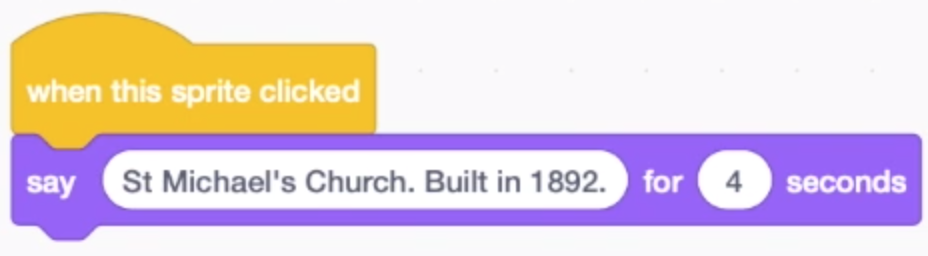
3. Program mouse inputs and text outputs
This video demonstrates how to program your sprite markers with conditions so that when they are clicked they provide facts.