Scratch Car Racing Activity Pack

🛠 What will you need?

The Scratch website. It is free to use and works on all devices.

What will you learn?
Program a multiplayer racing game in Scratch:
– Add a racing track (stages) and cars (sprites)
– Program inputs, loops, selection and sensing to control the sprites around the track and have them interact with objects.

1. Build your track (stages)
Watch the video to learn how to use the stage editor to create a racing track.
Once you have watched the video, try it yourself.

2. Program keyboard or touch screen inputs
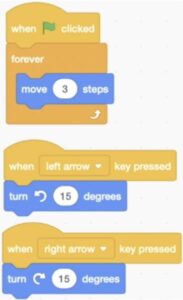
Watch the first video to learn how to program keyboard inputs with loops so that your sprite can be controlled.

If you are on a touch screen device such as an iPad, you can use the second video tutorial to learn how to use touch inputs to control your sprite.

Extension
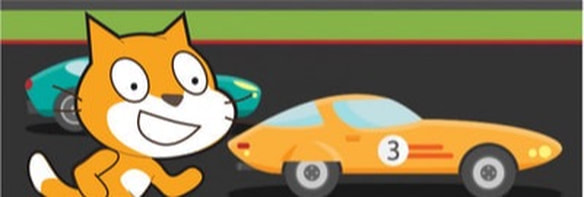
Can you use the sprite design tools to draw a racing car sprite instead of a cat?

Transparent Images
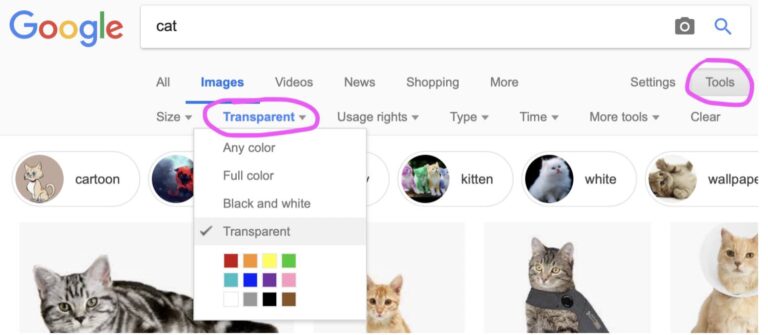
If you would like to add images from the internet as sprites then it is a good idea to use transparent images saved from Google. Do this in google images by clicking on ‘Tools’ then ‘Color’ and choose ‘Transparent.’   

3. Improve gameplay with selection and sensing.
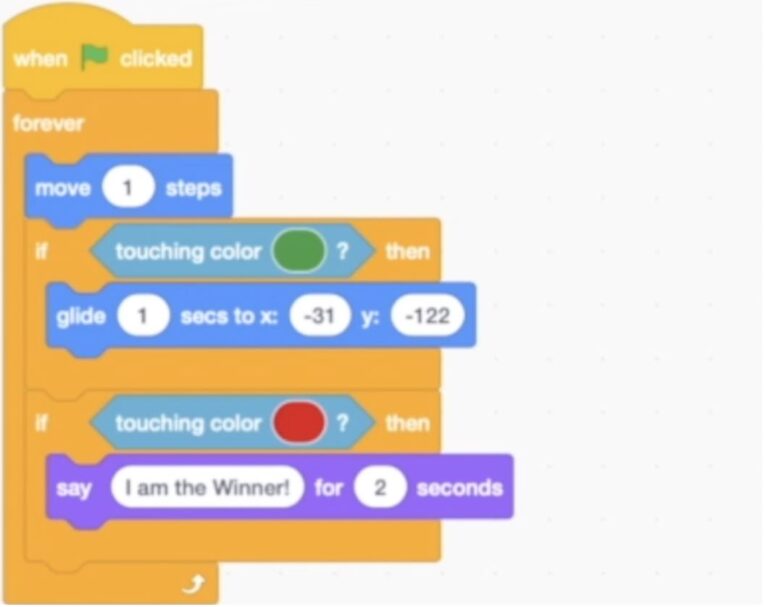
Add conditions and sensing to your sprite (car) so that when it touches the colour on the outside of the track, it goes back to the start. Then use the same skills to create a finish line. Use the video to help you.   

4. Multi-player 
Duplicate your car sprite and have different keyboard keys and conditions to make a multi-player game. Use the video tutorial to help you.

How can you improve this game?
What would make the game better? Even more players, roadside items?​