Scratch Shapes Activity Pack What will you need?
The Scratch website. It is free to use and works on all devices.
What will you learn?
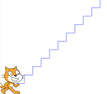
Use code blocks to program your sprite to draw a variety of shapes using pen, movements and loops (repetition).

Scratch Shapes Activity Pack What will you need?
The Scratch website. It is free to use and works on all devices.
What will you learn?
Use code blocks to program your sprite to draw a variety of shapes using pen, movements and loops (repetition).