What will you learn? To program a football-style game in Kodu using inputs, conditions and trails.
What will you need? Access to Kodu software on a Windows computer.
2. Add football and player From the Kodu option, add a football object and Kodu player. You may want to adjust the size and height of the Kodu player.
Two Player You can add a different Kodu player and use the colours at the top to change their look?
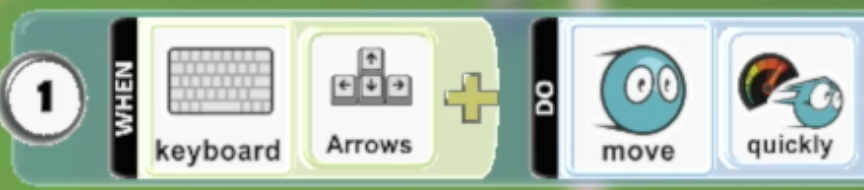
3. Program your Kodu to move and kick ball Add a program to move your Kodu with keyboard inputs. If you have two players then try using the Keyboard WASD for the other player. Tip – If you want your Kodu to move quicker, try adding another ‘quickly’
4. Adding the goal Use different colour land paint to colour a goal area. Tip – Use the arrow cursors on your keyboard make the brush bigger or smaller.
Once you have done one goal, can you paint the other goal a different colour?
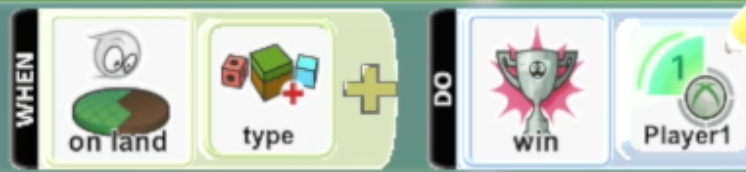
5. Scoring a goal Add a program to the football that when it touches the goal material it will win for a player. Once you have done the one goal, repeat the step for the other goal colour.
6. Add goalkeeper Write a program for a goalkeeper Kodu to move along a path to cover goal. Once you have done one goalkeeper, add another one to the other goal.
7. Opponents Can you add opponents that chase after the ball. Once you have one, can you copy and paste the Kodu and have opponents on different teams with different colours?
Extension Could you have the goalkeeper chase after the ball but also stay on their pathway?