Year 6 Binary (teacher notes)
Pupil Activity Code: BAQ3 – What is it?
Progression of skills in this pack:
1. Understand why computers/electronics use binary.
2. Match a sequence of binary code to create digital art.
3. To convert binary code to denary numbers (decimal numbers) and visa versa.
National Curriculum Content
Understand how instructions are stored and executed within a computer system; understand how data of various types (including text, sounds and pictures) can be represented and manipulated digitally, in the form of binary digits. (Key Stage 3)
1-2 hours
What do pupils and teachers need?
Pupils will need access to the pupil activity pack (see code above) and the Internet for some of the activities below and to watch the video tutorials.A
👨‍🏫 Teacher Input
You could start the lesson by watching the first video below. Talk about some of the main parts fo the video, such as the use of on/off being a string of zeros and ones. The video demonstrates how a computer converts a decimal/denary numbers into binary. You could go over another few examples as a class.
✅ Assessment ​
We have created a binary challenge sheet below for pupils to show their knowledge of converting decimal numbers to binary and visa versa. The PDF also includes the teacher answer sheet.
Cross-curricular links
Binary is excellent for mental maths involving addition.
1. What is Binary Code?
Watch the video above to learn what binary code is, why computers use it and how to convert numbers to it.
2. Binary Mosaics
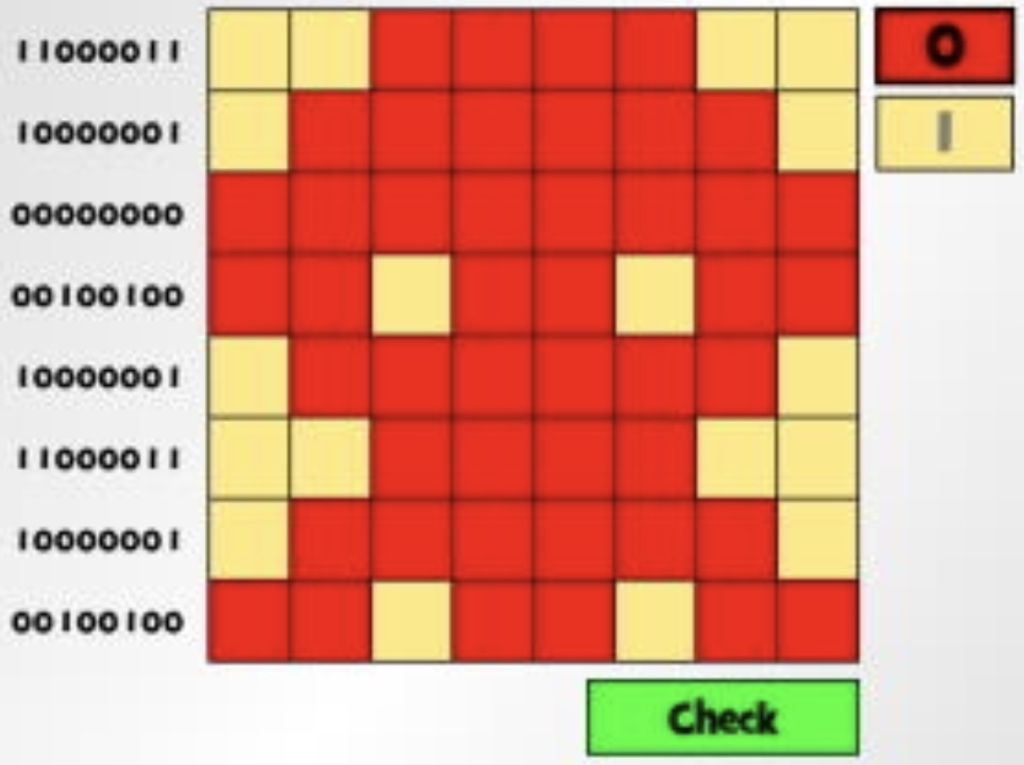
Go to the Digipuzzle Binary Code Mosaics website and choose binary. Match the binary code for each row of the mosaic by clicking the 0 or 1 in the top right corner and then clicking on the different cells. Once you have finished check and if it is correct, use the arrow to move to the next mosaic.Â
3. Cisco Binary
Try playing the Cisco’s Binary Number Game where you can convert the binary code to a decimal number or visa versa. Watch the video to help you play it.Â
4. Binary Bonanza
Binary Bonanza is a bit like a word search but you have to find the binary code for small numbers instead. Watch the video first before trying yourself.